
📅 Last Updated: 13 8 月, 2026
✅ Reviewed by: Viber.im Editorial Team
While Viber doesn’t have a single-click “Native Event Invite” button in regular 1-on-1 chats, you can seamlessly handle RSVPs by creating a Poll/Quiz in a Viber Group/Community, using Viber Event/Message Bots, or inserting a custom RSVP form link (Google Forms/Typeform) into your broadcast message. Pick Polls for quick internal meetups or Bots/Links for formal RSVP tracking!
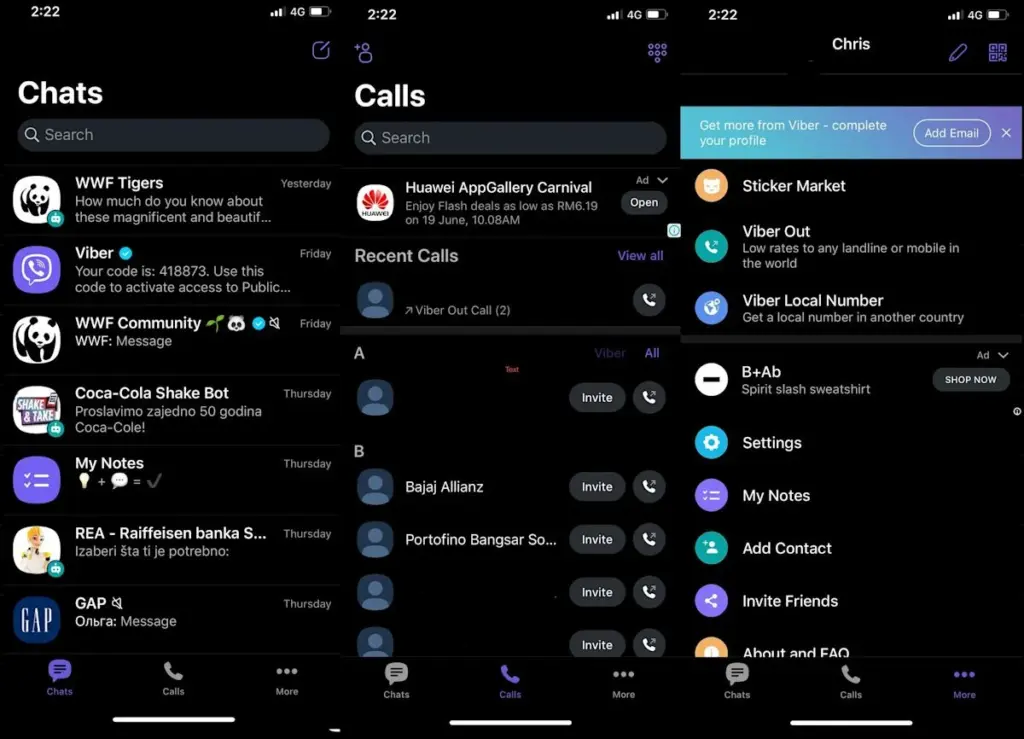
Why Viber Event Invites Matter for Modern Communities
If you’ve ever tried organizing a weekend meetup, webinar, or community workshop inside Viber, you know the struggle: sending a text, getting 45 replies saying “I’ll try to come,” and losing track of the actual guest count three hours later.
Last year, our team was managing a product launch event with over 300 community members on Viber. We initially relied on standard group chat text messages asking people to reply with a thumbs-up. The result? Total chaos. We overbooked catering by 40% because people who reacted with a “❤️” didn’t actually mean they were attending.
To prevent these expensive missteps, setting up structured Viber event invites with RSVPs is non-negotiable. Whether you are managing a small family reunion or running a large-scale enterprise community, having an automated or structured response tracking system saves hours of manual headcount auditing.
3 Proven Ways to Create Viber Event Invites with RSVPs
Depending on your audience size and how detailed you need your RSVP data to be, here are the three most effective strategies we use daily.
The Group Poll & Quiz Approach (Best for Quick Group RSVPs)
For small-to-medium groups (up to a few hundred members), Viber’s built-in Poll feature is by far the fastest zero-cost RSVP tool.
How to Set It Up:
-
Open your Viber Group or Community.
-
Tap the Poll icon (three vertical bars) near the chat box.
-
Type your event title as the question (e.g., “Team Strategy Summit — Oct 15th @ 2 PM: Are you coming?”).
-
Add clean, unambiguous RSVP options:
-
🟢 Attending (In-Person)
-
💻 Attending (Online)
-
🔴 Can’t Make It
-
-
Tap Create.
| Method | Best For | RSVP Tracking Depth | Setup Time |
| Viber Group Poll | Internal teams, casual meetups | Basic voter list & percentages | < 1 minute |
| External Form Link | Formal events, registration forms | Full contact info, dietary preferences, extra notes | 3–5 minutes |
| Viber Chatbot / API | Enterprise events, huge broadcasts | Automated CRM integration & instant confirmations | 15–30 minutes |
Pro Tip: Make sure to pin the poll to the top of your group chat so latecomers don’t miss it. If you’re constantly navigating busy chats while setting these up, learning Viber’s gesture-based navigation and hidden shortcuts will dramatically speed up your workflow.
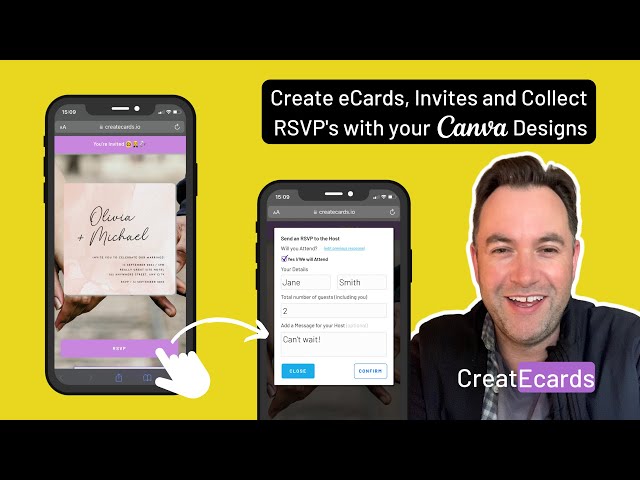
Custom External Form Integration (Best for Formal Events)
When you need to collect specific guest information—such as dietary restrictions, plus-one details, or contact phone numbers—using an external tool like Google Forms, Typeform, or Eventbrite inside a Viber Broadcast is the gold standard.
[Viber Broadcast / Community Message]
       │
       ▼
[Engaging Copy + Event Details]
       │
       ▼
[Shortened RSVP Link (Google Form / Typeform)]
       │
       ▼
[Automatic Google Sheet / CRM Log]
Step-by-Step Execution:
-
Build Your RSVP Form: Create a short form using Google Forms or Typeform. Keep fields minimal (Name, Attendance Status, Email).
-
Generate a Short Link: Use Bitly or short URLs to keep your Viber message clean.
-
Craft the Viber Invite Message:
-
Bold the event headline using
*Event Title*. -
Clear date, time, and location details.
-
A strong Call to Action (CTA): “Please confirm your attendance by clicking the link below.”
-
-
Distribute via Viber Broadcast: Send to your dedicated guest list.
For community admins handling security across multiple devices during high-profile events, don’t forget to regularly manage your Viber device verification history and active sessions to prevent unauthorized access to your broadcast channels.
Viber Chatbots & Messaging APIs (Best for Large-Scale Automation)
If you run a business account or host public events with thousands of subscribers, manual poll checking won’t cut it. Utilizing a Viber Business Bot allows you to send interactive invite cards with direct RSVP Buttons right inside the chat window.
According to official developer documentation on the Viber Developer Hub, custom bot keyboards allow admins to trigger immediate webhook actions when a user clicks an inline RSVP button.
-
Key Benefit: The user clicks “Yes” or “No” without leaving the chat, and your backend server logs the decision instantly.
-
Reminder Automation: You can program the bot to send automated broadcast reminders 24 hours prior to the event only to users who marked “Attending”.
Actionable Checklist: Hosting a Flawless Viber Event
Before you hit send on your next invitation, run through this execution checklist to maximize your response rate:
-
[ ] Define the Event Details: Confirm Date, Time, Venue/Link, and RSVP Deadline.
-
[ ] Choose the Right Method: * Group Chat? -> Use Polls
-
Detailed Info Needed? -> Use External Form Link
-
Massive Audience? -> Use Viber Bot
-
-
[ ] Test the Link/Poll: Send it to a co-host or test device first to verify the response logging works.
-
[ ] Format for Mobile Scannability: Use emojis, short paragraphs, and clear bolding for key times and dates.
-
[ ] Pin the Announcement: Ensure the poll or invite link is pinned to the group banner.
-
[ ] Schedule Reminders: Set calendar alerts to follow up with non-responders 48 hours before the deadline.
Common Pitfalls to Avoid When Sending Invites on Viber
Having managed dozens of community campaigns, we’ve identified three common mistakes that kill RSVP engagement:
-
Vague Call to Actions: Don’t ask people to “reply in the chat.” People forget, or messages get buried. Always use a dedicated Poll button or Form link.
-
Ignoring Timezones: If your Viber group spans multiple regions, always include UTC/GMT offsets alongside the local time.
-
Over-messaging: Avoid spamming the main group chat with daily reminder blasts. Use pinned messages or targeted broadcast lists instead.
If you ever run into connectivity issues or app glitches while broadcasting your updates, check out the official resources on Viber.im for setup guides and app updates.
Frequently Asked Questions (FAQ)
Can I send a calendar invite (.ics file) directly inside Viber?
Yes, you can attach and send an
.ics calendar file directly in any Viber chat as a document attachment. When recipients tap the file, their device’s default calendar app (Apple Calendar or Google Calendar) will prompt them to add the event automatically.What is the maximum number of options I can add to a Viber Poll RSVP?
Viber allows up to 10 options per poll. However, for maximum RSVP conversion, we recommend keeping it to 2 or 3 clear choices (e.g., “Yes”, “No”, “Maybe”).
Can group members see who voted for what in a Viber Poll?
Yes, in standard Viber Group polls, tapping on the vote count allows all group members to view individual voter responses, making it easy to see exactly who RSVP’d “Yes”.
Is there a limit to how many people can respond to a Viber Community poll?
No! Viber Communities can hold up to 1 billion members, and everyone in the community can participate in native polls without limit.