
If you’re searching for how to know if someone blocked you on Viber, there is no sure way to confirm it from your account. A message that stays at one tick, a missing profile photo, or a call that fails may prompt questions, but none proves a block. Connection trouble, privacy settings, an inactive account, or an unanswered message can produce similar signs. Check what you can on your side, then avoid turning uncertainty into repeated tests.
Can you confirm that someone blocked you on Viber?
No. Viber does not send a clear alert when another person blocks you, and it does not show a list of people who have blocked you. The Viber Help Center covers account and privacy features, but no single status in a chat tells you why contact changed.
A block may affect communication, but so can a phone without internet access, a change in privacy settings, an account that is no longer in use, or a person who has not opened or answered your message. A slow or absent reply is not proof.
Bottom line: several changes may make a block seem possible, but Viber does not offer a reliable way to verify it.
Why no single clue settles the question
A message remains at one tick, a profile photo disappears, and calls fail: together, those signs can look persuasive. They still do not identify the cause. App indicators show a status, not another person’s reason for changing how they communicate.
Note what changed and check your own connection and app. After that, avoid repeated checks. If the person does not reply, give them room.
Signs someone blocked you on Viber, and what they can mean
These possible clues overlap with ordinary privacy choices and technical problems. Their certainty remains low.
| What you notice | What it might mean | Other explanations | How conclusive is it? |
|---|---|---|---|
| A message stays at one tick or does not show as seen | It may not have reached the recipient, or they may not have opened it | Their phone may be offline, the app may not be active, or either side may have a connection problem | Low |
| Online or last-seen details disappear | Their presence may no longer be visible to you | They may have changed privacy settings or stopped using Viber | Low |
| A profile photo or other details change | Their profile information or its visibility may have changed | They may have removed or replaced the photo, or changed privacy settings | Low |
| A voice or video call fails to connect | They may not be reachable through Viber | Weak internet, device or app trouble, or an unanswered call can look the same | Low |
| You still share a group chat | Group activity may remain visible even if direct contact changes | A group does not reveal the status of a one-to-one chat | Not confirmation |
Use these signs as reasons to check for other explanations, not as a checklist for catching someone. Viber’s app features and settings can affect what you see, as can the other person’s choices.
Messages and delivery or read indicators
A message status is not a verdict on your relationship. If a message does not move to a delivered or seen state, the recipient may not have opened the chat, their device or connection may be unavailable, or another technical issue may be involved. The status alone does not establish a block.
A “Seen” label only describes what Viber displays for that message. It cannot tell you why someone has not replied. Delivery, reading, and choosing to respond are separate actions.
Viber online status visibility and profile photos
A missing presence indicator or changed photo can stand out, especially if you used to see those details. Visibility can depend on privacy choices and account activity. Viber online status and privacy settings are separate from a personal block, so a hidden status cannot settle the question.
Viber calls not ringing and group chats
A voice or video call that does not connect is ambiguous. The person might be offline, unavailable, dealing with a connection problem, or simply not answering. One failed call is not a reliable test. For help with the feature, see this guide to Viber video calling.
A shared group chat is not a test either. What you can see or do in a group does not confirm whether direct messages or calls are available between two accounts. Don’t add someone to a group or ask other people to check their settings for you.
Viber one tick meaning: what the status does and does not tell you
One tick is a message-status indicator, not a block alert. If a message stays at one tick, you cannot conclude from that alone that someone blocked you. Status labels and their appearance may differ by app version; check the Viber Help Center for guidance instead of treating an icon as proof.
The same caution applies when no “Seen” status appears. The recipient may not have opened the conversation, may not use the app, or may have privacy settings that affect what you see. A tick cannot explain someone’s intent.
Check for other causes before assuming a block
Try these non-invasive checks before drawing a conclusion:
- Check your connection. Open another service or webpage to see whether your internet access works.
- Check Viber. Close and reopen the app, then see whether other chats send and update normally.
- Check for an app update. Different app versions may behave differently.
- Review what changed. A new phone, number change, or period of inactivity may point to an account or device change. None proves a block.
- Wait before trying again. A delayed status or unanswered call may resolve without another action.
- Separate technical trouble from a personal choice. If one contact remains unreachable over time, a block is one possibility, not a fact you can verify.
For more about the app and its settings, start with the Viber app guide. The aim is to rule out problems on your side, not to test the other person with alternate accounts or repeated calls.
How to check your Viber blocked contacts list
Your blocked contacts list shows people you blocked. It does not show who blocked you.
- Open Viber and go to Settings.
- Look for Privacy or Blocked contacts. Menu names and locations may differ by device and app version.
- Open the list to review or change the contacts you blocked.
If you cannot find the setting, use Viber’s in-app help or the Help Center, rather than relying on steps for a different version. Menu paths may vary across Android, iPhone, iPad, and desktop apps.
The list can show: whether a contact is on your block list.
The list cannot show: whether you are on someone else’s list, or why a message or call did not connect.
Personal block, account restriction, or network restriction?
“Blocked” can describe three different situations. The distinction matters because each calls for a different response.
| Type | What is affected | Where to look |
|---|---|---|
| Personal contact block | Contact between two Viber users | You cannot view another person’s block list. Respect their privacy and do not try to get around it. |
| Viber account restriction | Use of your own account or some account features | Check Viber’s support guidance on account bans and restrictions. This is different from one person blocking you. |
| Network or country restriction | Access to Viber on a network or in a location | Check local network access or contact the relevant service provider. This does not show that an individual contact blocked you. |
For general product information, visit Viber. This publisher page is not identified here as Viber’s official support channel.
What to do if you think you were blocked
Pause before sending another message. If you have a genuine reason to contact the person, use one ordinary channel you already share and keep the message brief. Then leave the choice to respond with them.
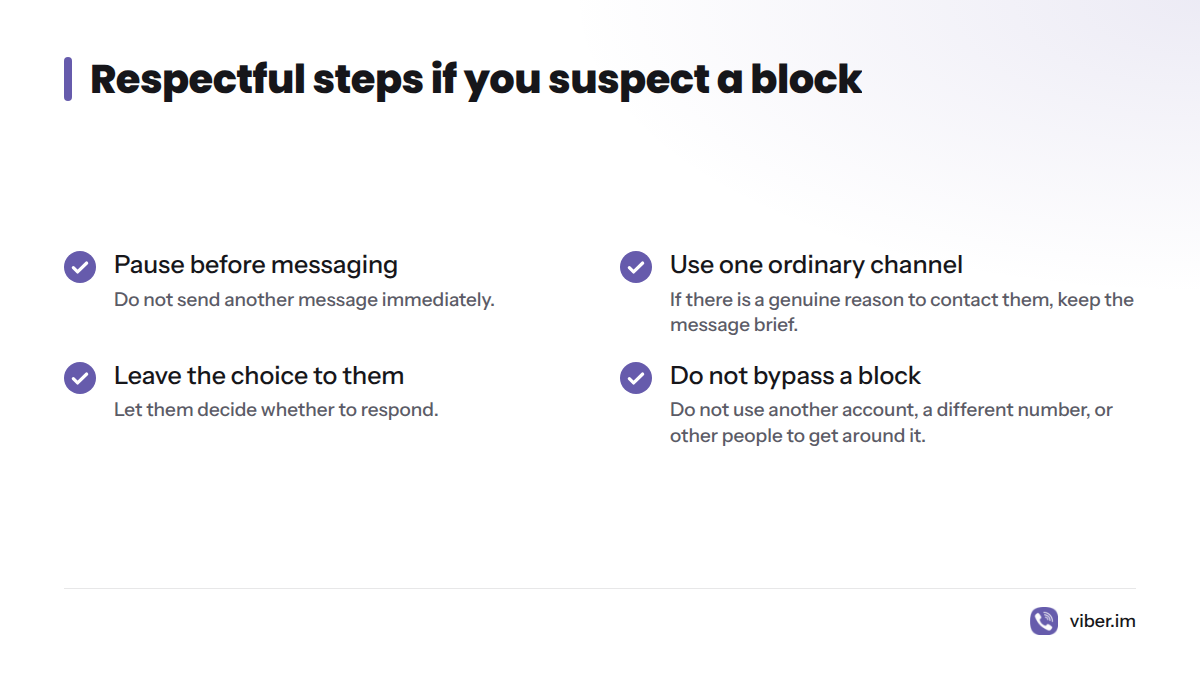
Do not create another account, use a different number, or ask others to contact them on your behalf to get around a suspected block. If someone has chosen not to communicate, respect that boundary. I would rather accept uncertainty than turn a missed message into pressure.
Frequently asked questions
Does Viber notify you when someone blocks you?
No direct alert tells you that a particular person blocked you. Changes in messages, calls, or profile visibility are indirect and can have other causes.
When you block someone on Viber, do they know?
Viber does not show the other person a clear notice that you blocked them. They may notice changes in communication, but those changes do not prove why they happened.
Can you message someone who blocked you on Viber?
You may be able to compose or send a message from your side, but the chat screen cannot confirm what the other person received. Do not send repeated messages to test a suspected block.
What happens when someone blocks you on Viber?
Viber does not give the sender a definitive “you were blocked” result for an individual message. If a status does not change as expected, connection, app, device, or account conditions may explain it too.
Do Viber calls ring if you are blocked?
A call that does not connect can be consistent with a block, but an offline device, a connection problem, or an unanswered call can produce the same result. It is not a reliable test.
Can a missing profile photo prove a block?
No. A person may update or remove a photo, or change privacy settings. A missing photo does not confirm a block.
Can you see someone’s online or last-seen status if they blocked you?
Online or last-seen visibility cannot verify a block. Privacy settings and app activity can also affect what appears.
Can you check whether someone else blocked you in Viber settings?
No. Your settings show contacts you blocked, not contacts who blocked you. There is no setting that reveals another person’s private block list.
Do block signs work the same way on Android, iPhone, and desktop?
Do not assume every screen or menu looks the same. App versions and device interfaces can differ, and a status clue remains inconclusive across platforms.