
To change the name you see for someone in Viber Desktop, edit that person’s saved contact record. Check the contact details in Viber first; if there’s no edit option, update the entry in the phone or address book connected to your contacts, then refresh Viber.
This changes your own label for the person. It does not change their Viber profile name. Desktop controls can vary by app version and contact setup, so I recommend treating the address-book entry as the fallback rather than expecting one menu path to work on every computer.
Check for an edit option in Viber Desktop
Open the person’s one-to-one chat and select their name or profile area. You can also select the person from the desktop contact list. Look through the details for a contact-edit option. If you find one, edit the name, save it, then reopen the details to confirm the change.
If no edit option appears, don’t change unrelated settings. Update the saved contact instead. That’s the practical choice when you want a familiar label, such as “Maya from work,” rather than the person’s formal name.
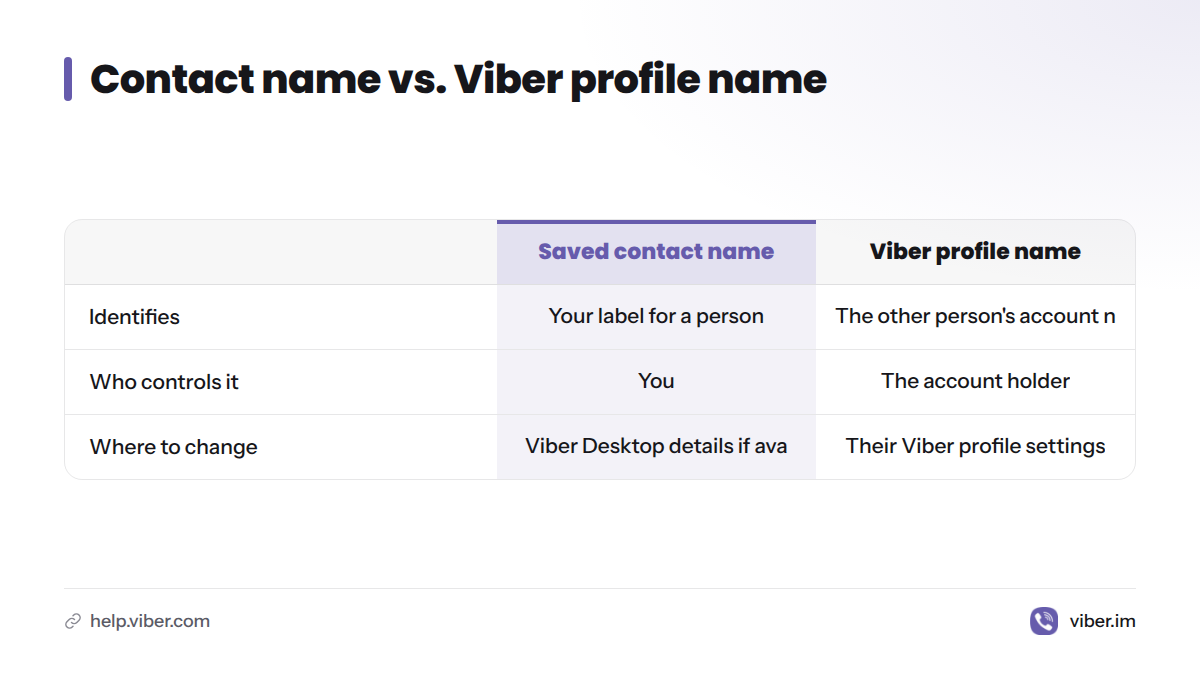
A saved contact name is the label in your own contacts. A Viber profile name belongs to the other person’s account, which they manage themselves. Viber’s app and support information is available in the Viber Help Center.
Quick answer: Edit the contact in Viber Desktop if the details view offers that control. If it doesn’t, change the saved entry on your phone or in the address book that supplies your contacts. Changing your own profile name won’t rename someone else.
Edit the contact on your phone or in your address book
Find the record with the phone number used in the Viber chat. Change its display name, confirm the number, and save. Apple provides steps to add and edit contact information; Google explains how to create or edit a contact. Menu names vary by device and software version.
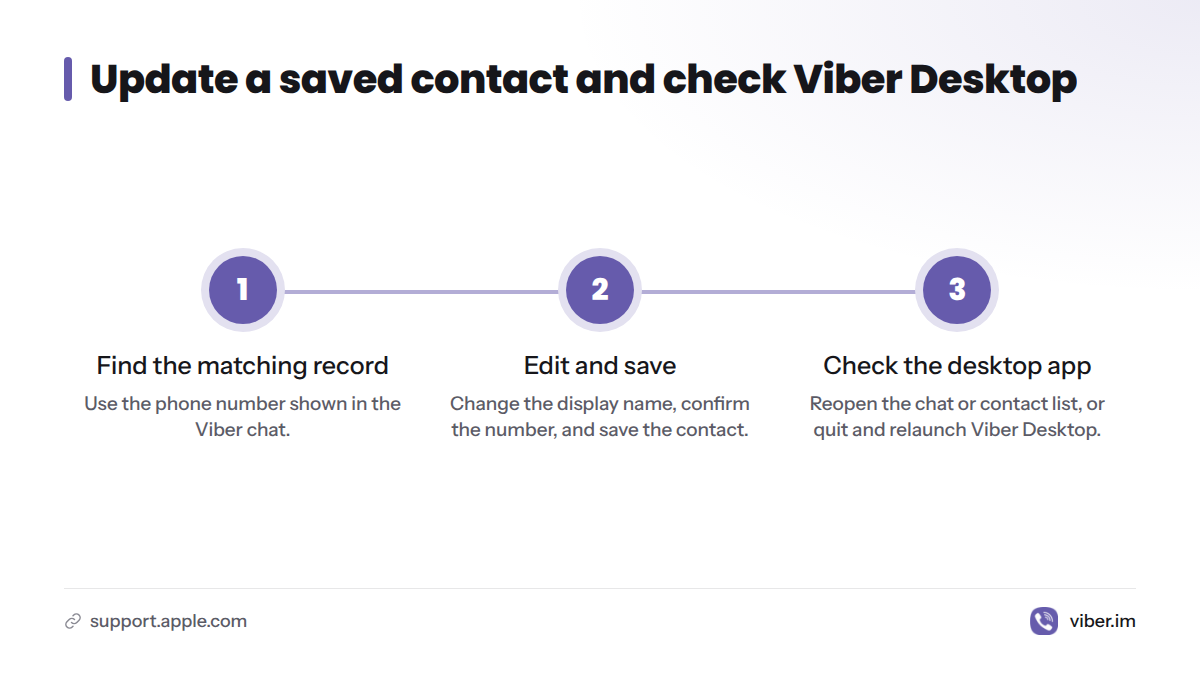
Viber Desktop may not show the updated name right away. Reopen the chat, return to the contact list, or quit and relaunch the desktop app. Sync timing and behavior can differ by contact setup, so these steps are checks, not a guarantee that every device will update in the same way.
If you searched for how to change others name in Viber desktop iOS or how to change others name in Viber desktop Android, the desktop steps are the same: edit the saved contact on the phone when Viber Desktop has no edit control. To add new contact in Viber desktop, check whether your app offers a contact-creation option; if it doesn’t, add the person’s number through your device’s address book and then check Viber.
Check the contact record if the name stays old
Compare the phone and computer, then check these points:
- The number matches. Confirm that the saved record uses the number shown in the Viber conversation.
- You edited the right copy. Duplicate contacts can hold different names or numbers. Your phone may use a different record from the one you changed.
- Contact access is allowed. If your phone’s operating system asks for contact permission, check that Viber can read contacts.
- The desktop view has refreshed. Reopen the conversation or restart Viber Desktop, then allow time for the app to reload.
- The account is connected as expected. Check the desktop app’s linked-device status before treating the old label as an editing problem.
Address books can draw contacts from more than one account or service. If you’re unsure which record your phone uses, review its contact settings before editing another copy. The Address book entry from Wikipedia explains the general idea of a saved contact record, which is separate from a person’s online profile.
If the phone shows the new label but the computer doesn’t, note the operating system and app versions before contacting support through the Viber Help Center. These checks apply to Windows, macOS, and Linux, though contact permissions and address-book menus depend on the operating system.
A contact name, profile name, and group name are different
| Name | What it identifies | Who controls it | Where to change it |
|---|---|---|---|
| Saved contact name | Your label for a person | You, in your contact record | Viber Desktop details if an edit control appears; otherwise your address book |
| Viber profile name | The name on a Viber account | The account holder | Their own Viber profile settings |
| Group name | The title of a group conversation | A member with permission, depending on group settings | The group details |
Renaming a group doesn’t rename its members. Editing a contact record doesn’t change the person’s account information either.
If you meant your own name, see the separate guide to changing your Viber nickname. A profile name and a saved contact label serve different purposes.
Common searches and questions
How to change others name in Viber desktop Reddit
Reddit discussions may describe steps for a particular app version or device setup. Check the contact details in your own Viber Desktop app; if you don’t see an edit option, change the saved address-book record instead.
Can I rename someone in Viber Desktop on Windows, Mac, or Linux?
Check the person’s details for an edit option. If it isn’t there, edit the saved contact in the address book that supplies your contacts. The controls can vary by app version and contact setup.
Does Viber Desktop show the name saved in my phone contacts?
It may show a label connected to your contact setup, but don’t expect every linked device to refresh at the same time. Edit the record, reopen Viber, and compare the phone and computer.
Can I rename someone who isn’t saved in my contacts?
The chat may show the person’s name or number. To use a personal label, save the number as a contact. If Viber Desktop doesn’t offer a way to create a contact, add it through your phone’s address book and check Viber again.
Does changing a contact name change the person’s phone number or account?
No. Editing a saved label doesn’t change the number linked to a Viber account. For change phone number on Viber on PC, see how to change the phone number linked to Viber. Changing an account number is a separate task.
What if I meant my own name or a group title?
Change your own profile name in your profile settings. For a group title, open the group details and check whether you have permission to edit it. Neither action changes a contact label in your personal address book.