
Personal Accounts: Since Viber lacks a native auto-reply button, the best workarounds are changing your Viber Display Name (e.g., adding “John (On Vacation)”) or updating your Status/About section. Alternatively, Android users can use trusted third-party automation apps like AutoResponder for Viber.
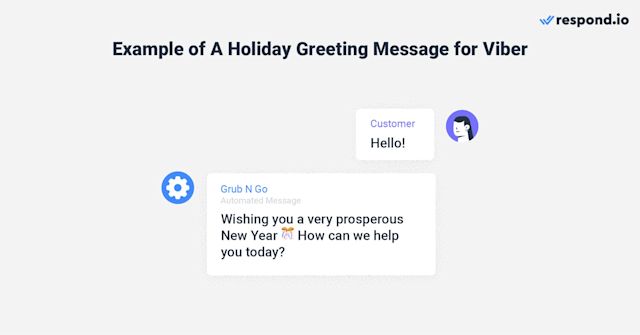
Business Accounts: If you use a Viber Business Bot, you can natively set up “Away Messages” or “Out of Office” workflows by connecting your bot to a customer messaging platform like respond.io or Onlizer.
If you are planning to take some time off, go on a trip, or disconnect for a few days, you might want to set up an “out-of-office” or vacation responder on your messaging apps.
However, if you are looking for a native “Vacation Responder” button inside the standard personal Rakuten Viber app, you won’t find one. Unlike email services, Viber does not currently offer a built-in, one-click automatic reply feature for personal accounts.
Fortunately, depending on whether you use Viber for business, personal use, or community management, there are a few highly effective workarounds to let people know you are away.
The Best Workarounds for Personal Viber Accounts
Note: This guide is based on Viber 23.1 (mobile) and Viber 22.8 (desktop), the latest versions as of 2026. Features and interface may vary slightly in older versions.
If you are using a standard personal account on your phone or desktop, you can use these clever profile tweaks to warn contacts that you are away.
Update Your Display Name (Highly Visible)
Adding a vacation tag directly to your display name is the most effective manual workaround because people will see it instantly when they open your chat or see your name in their chat list.
-
Open the Viber app on your phone.
-
Tap on the More (three dots) icon in the bottom right corner.
-
Tap on your profile picture/name at the top to edit.
-
Edit your name to include your status—for example:
Sarah [Away until May 15th]. -
Save the changes.
Change Your “About” Status
You can use the bio section to provide more details about your absence.
-
Go to More > Edit Profile (or tap your profile pencil icon).
-
Look for the About or status field.
-
Write a brief note, such as: “I am currently on vacation with limited access to my messages. If urgent, please email me.”
Use an Android Auto-Reply App (Android Only)
If you are on an Android device, you can use a dedicated automation tool to reply for you. The most popular tool for this is AutoResponder for Viber (available on the Google Play Store).
-
Download and install AutoResponder for Viber.
-
Grant the app permission to read your Viber notifications (this is how it detects incoming messages).
-
Create a new rule: set the received message pattern to
*(which means it will trigger for any message). -
Input your out-of-office message in the Reply Message field (e.g., “Hi! I’m currently on vacation and offline. I will get back to you as soon as I return.”).
-
Set a delay or a rule scheduler so it only runs during your vacation dates, then toggle the rule On.
Setting Up “Away Messages” for Viber Business Bots
If you run a business page or a brand on Viber, you have access to powerful official automation tools. To configure an automatic vacation responder, you must link your official Viber Bot API token to a conversational integration inbox (such as respond.io, Onlizer, or similar CRM platforms).
Step-by-Step Business Integration:
-
Get your Viber Bot Token: Go to the Viber Admin Panel and create/retrieve your active Bot key. For official documentation on managing your bot API keys, you can refer to the Viber Developer Portal.
-
Connect to an Integration Platform: Log into your chosen conversational software and add Viber as a messaging channel using your token.
-
Build an Away Workflow:
-
Go to the Workflows or Automation section of your dashboard.
-
Set the trigger to:
Conversation OpenedorNew Message Received. -
Add a Date & Time Condition to define your exact vacation days or out-of-office hours.
-
In the “Failure” or “Away” branch, add a Send Message action.
-
Draft your professional away response:
“Thank you for reaching out to [Business Name]! Our team is currently away for the holidays from [Date] to [Date]. We will reply to your inquiry as soon as we return. For urgent matters, please visit our website.”
-
-
Publish the Workflow: Save and activate the triggers so the bot handles incoming client messages 24/7.
Pro-Tips for Managing Organized Viber Conversations
While you are setting up your vacation parameters, managing your day-to-day group chats and team branding is equally important to keep conversations tidy.
-
Keep Group Chats Clean: Before you leave for vacation, make sure your team knows how to use nested replies so key updates don’t get buried in general chat noise. For a complete walkthrough on keeping your chats clutter-free, check out the Viber Thread Replies 2026 Master Guide to Organized Conversations.
-
Refresh Your Team’s Brand Identity: If you are running business group chats or communities, having professional branding makes your automated presence look seamless. Learn how to design and apply custom graphics with the Viber Custom Group Avatars Pro Guide for Pixel-Perfect Branding.
-
Utilize “Mark as Unread”: When you return from vacation, don’t rush. You can preview messages and long-press (on mobile) or right-click (on desktop) to Mark as Unread so you remember to reply to them when you have fully caught up on your workload. For more help on organizing your chats, see the guides available at the official Viber Support Center.
FAQ
Can I set an auto-reply on Viber Desktop?
Viber’s desktop client does not support third-party notification-reading automation tools like Android does. If you are using a personal account, your best option is to update your display name or status from either your mobile device or the Viber Desktop App to let your desktop contacts know you are away.
Will people still see my “Last Active” status?
Yes. If you have your online status enabled, users will see when you were last active. If you truly want to disappear, you can go to Settings > Privacy and toggle Share “Online” Status off so people do not expect an instant response when they see you “online.”
Do I get charged for business auto-replies?
Depending on your Viber Business Solution Provider (BSP) or CRM platform, normal messaging rates or session fees may apply for outgoing automated business messages. However, standard default system autoreplies generated natively by Viber are free of charge.