
The Viber app lets people message and call other Viber users over the internet, join group chats and Communities, and call some ordinary phone numbers through its paid Viber Out service. It works on supported phones and computers. App-to-app calls do not carry a separate Viber calling fee, but mobile data charges may apply.
Viber at a glance
- What it does: Messages, photos, videos, voice and video calls, group chats, Communities, and stickers.
- Where it works: Mobile and desktop versions are available. Check Viber’s download page for supported systems and requirements.
- What it costs: Many Viber-to-Viber messages and calls have no added Viber fee. Your carrier may charge for data, and Viber Out calls to phone numbers cost extra.
- How to start: Install the app from Viber or an official app store, verify a phone number, then choose a contact.
- Privacy: Protections depend on the feature. A private chat and a Community are not the same kind of space.
What is the Viber app?
Viber is a messaging app and Voice over Internet Protocol (VoIP) service. It sends messages and calls through an internet connection rather than a mobile carrier’s voice network. People can reach other Viber users in the app, while Viber Out connects to some mobile and landline numbers for a fee. For a plain-language explanation of internet calling, see Voice over IP, Wikipedia.
Rakuten Group acquired Viber Media in 2014. Viber began in Israel, but it is now part of the Japan-based Rakuten Group. Rakuten’s acquisition announcement documents the ownership change. Visit Viber’s official site for product information.
What you can do with the Viber messaging app
Viber combines private conversations with larger group and public spaces. Features and limits can differ by device, region, and app version, so check Viber’s help pages or the app itself for details.
| Feature | What it does | Internet or added cost? | Note |
|---|---|---|---|
| Private messages | Sends text, photos, videos, files, and voice messages to another Viber user | Internet connection; mobile data may cost extra | The recipient needs access to Viber |
| Viber voice and video calls | Connects two Viber users over the internet | Internet connection; mobile data may cost extra | Calling an ordinary phone number uses a different service |
| Group chats | Keeps several people in one conversation | Internet connection | Controls and limits can vary |
| Communities | Lets people follow or join larger topic-based spaces | Internet connection | Community posts are not the same as private messages |
| Stickers and GIFs | Adds visual or animated replies | Internet connection to send or load content | Available choices may differ |
| Viber Out | Calls some mobile and landline numbers that do not use Viber | Paid service | Check the destination and rate before calling |
| Desktop app | Connects Viber on a computer with a phone account | Internet connection | Setup depends on supported devices |
People use Viber for one-to-one messages, family groups, and work calls. If video calling is your main reason to install it, see our guide to making a Viber video call. For more on messages and calls, read Viber’s chat and call features.
What is Viber Out?
Viber Out is a paid service for calling eligible mobile and landline numbers. The person receiving the call does not need Viber. Rates and plans depend on the destination and the choices shown to your account. Check the official Viber Out page before purchasing credit or a plan.
Is Viber app free?
Many messages and calls between Viber users have no separate Viber charge, but internet access may still cost money. Those messages and calls use Wi-Fi or mobile data, and a carrier may charge for data use. Viber Out calls to regular phone numbers may carry a Viber fee as well. Check your phone plan and the rate for your destination before calling.
| Communication type | How it connects | Where charges may come from |
|---|---|---|
| Viber-to-Viber message or call | Internet connection | Mobile data plan when you are not on Wi-Fi |
| Regular carrier call or SMS | Mobile carrier network | Phone plan or carrier rates |
| Viber Out call | Viber connects to a phone number | Viber Out rate, plus data use where applicable |
A Viber call differs from a regular phone call. Both people need the app for a Viber-to-Viber call, which uses an internet connection. A carrier call uses phone service and can reach a number without Viber. If you need to call a landline or someone who does not use the app, check Viber Out prices first.
How private is Viber?
Viber says end-to-end encryption applies by default to one-to-one and group chats, as well as voice and video calls. With this type of encryption, the content is protected between the participants’ devices. Do not assume that the same protection applies to every feature: Communities, channels, bots, backups, and public content can work differently. Check the privacy details for the feature you plan to use and read Viber’s security overview.
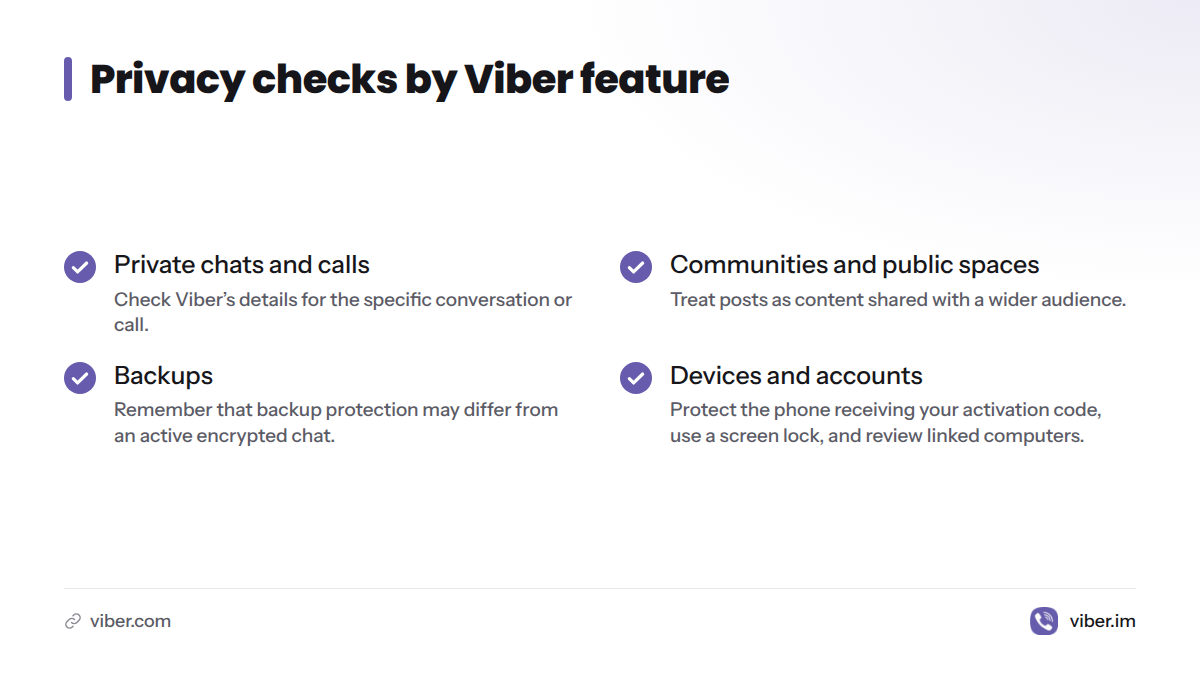
Keep these differences in mind:
- Private chats and calls: Check the details Viber provides for the specific conversation or call.
- Communities and public spaces: Treat posts as content shared with a wider audience, not as a private exchange.
- Backups: A backup is a separate copy of chat history. Its protection may differ from that of an active encrypted chat.
- Devices and accounts: Protect the phone that receives your activation code, use a screen lock, and review computers linked to your account.
Viber may request access to contacts and device features to support functions you choose. Review permission prompts and grant only the access you need. You can revisit privacy settings after setup.
Viber app download: supported devices
Viber has mobile and desktop apps, though supported systems and requirements can change. Get the app through your device’s official store or Viber’s download page, not a third-party APK site or download mirror.
| Device | Where to get it | What to check |
|---|---|---|
| Android phone or tablet | Google Play or Viber’s official download page | Device and system requirements in the app listing |
| iPhone or iPad | Apple App Store | Compatibility details and iOS requirements in the listing |
| Windows, Mac, or Linux computer | Viber’s official download page, if it offers a version for your system | Desktop support and phone-linking steps |
For device-specific directions, see our guides to installing Viber on Android and getting Viber for iPhone. Unofficial installers may be outdated or altered, so use an official source for installation and account setup.
How to use Viber app
Set up the app with these steps:
- Choose an official source. Find Viber in Google Play or the Apple App Store, or follow the download link on Viber’s site.
- Install and open it. Select your country and enter the phone number you want to use.
- Verify the number. Enter the activation code Viber sends by SMS or provides through another available method. Do not share a login code with anyone.
- Review permissions. Decide whether to allow access to contacts, microphone, camera, and notifications. Calls need microphone access; video calls also need camera access.
- Start a conversation. Choose a Viber contact, send a message, or make an app-to-app call. Use Wi-Fi if you want to avoid mobile data use.
- Link a computer if needed. Install Viber’s desktop app and follow the on-screen steps. Keep your phone available while linking.
If a verification code does not arrive, check the number and country code, confirm that your phone has cellular reception, and make sure it can receive SMS messages or calls. Wait before requesting another code. Do not install an unverified app version to get around an activation problem.
Transfer Viber messages to a new phone with QR code
Transferring or restoring chat history, backing up messages, and linking a computer are separate tasks. Transfer or restore moves chat history to a replacement phone. A backup is a saved copy that may help with restoration. Linking a desktop app gives you access from another device; it does not by itself confirm that your phone’s full chat history has moved.
Before changing phones, open Viber’s chat settings and check the backup or transfer steps for your devices. Available methods may differ between platforms, so do not assume that moving from Android to iPhone works like replacing one Android phone with another. Start with our guide to backing up and restoring Viber chats, and follow the app’s directions before wiping or trading in the old phone.
Choose instructions for the task you need:
- Replacing a phone with another on the same platform: Check Viber’s transfer or restore option and confirm that a recent backup exists before proceeding.
- Moving between Android and iPhone: Read Viber’s directions for both systems first. If the app does not show a supported method, do not rely on a QR code or third-party migration tool.
- Adding a computer: Use the desktop linking steps. Linking a computer does not move an account or restore phone chat history.
A QR code may appear during setup or device linking, but that does not mean every scan transfers messages. Use a QR code to transfer messages only when Viber’s own instructions identify that task and your devices meet its requirements.
Who may find Viber useful?
Viber may suit people whose friends, family, or groups already use it, as well as people who want internet calls or computer access to their messages. App-to-app functions can help people contact others in different countries. Viber Out is worth checking when a call to a regular phone number is needed.
Before installing, consider:
- Do the people I contact use Viber?
- Will I usually have Wi-Fi, or should I allow for mobile data use?
- Do I need to call ordinary phone numbers, and have I checked Viber Out rates?
- Does my phone or computer meet the requirements in its app listing?
- Do the privacy settings for chats, Communities, and backups fit my needs?
My take: Viber is most useful when the people you want to reach already use it. If they do not, the feature list matters less than whether you can contact them there.
Common Viber problems and checks
- No verification code: Check the country code and phone number, confirm that the phone can receive messages or calls, and wait before trying again.
- Messages or calls fail: Check internet access, turn off airplane mode, and test another Wi-Fi or data connection. For calls, review microphone or camera permissions.
- Desktop will not link: Update the apps through official sources, confirm the phone account is active, and repeat Viber’s linking steps.
- Chat history is missing: Check whether a backup existed before the phone change and whether you restored it with the same platform and account. Do not delete the old app or reset the old phone until you know whether the history can be recovered.
- The app behaves unexpectedly: Check for an update through the official store, then consult the Viber app and setup guides.
Viber app FAQs
Can you delete sent messages on Viber?
Viber has message controls that may let you delete a sent message. Open the message menu and check the options in your app. Wording and behavior can differ by version, and deletion does not guarantee that nobody saw or saved the message first.
Can I make group voice or video calls?
Viber supports group communication, including voice and video features where available. Controls and participant limits can differ, so check the call screen and app information rather than relying on a fixed number.
Can I use the same Viber account on a phone and computer?
Viber has a desktop app that can link with a phone account. Follow the in-app instructions and check its device rules. Linking a computer is different from transferring chat history to a new phone.
How do I uninstall Viber on my laptop?
Use your operating system’s usual app removal steps. On Windows, remove Viber through Settings; on Mac, remove it from the Applications folder; on Linux, use the package manager or software tool used for installation. Removing the desktop app does not necessarily deactivate your phone account. Check Viber’s help instructions before deleting an account or message history.
Is Viber an Israeli company, and who owns it?
Viber began in Israel, and Rakuten Group acquired Viber Media in 2014. The app is now part of Rakuten, a company based in Japan. The first statement describes its origins; the second describes its owner.
What is the Viber app on iPhone?
On iPhone, Viber is a messaging and calling app available through the Apple App Store on supported devices. App-to-app messages and calls use an internet connection. Mobile data charges may apply, and Viber Out calls can cost extra.
Can I download Viber app for Android for free?
You can download Viber app for Android through Google Play on supported devices. Many app-to-app messages and calls have no added Viber fee, but mobile data charges may apply. Viber Out and other paid features may cost extra.
What should I do if Viber calls or messages do not work?
Check your internet connection, app permissions, and whether the recipient can use Viber. If an update is available, install it through an official store. If the issue continues, use Viber’s official help center rather than a third-party download or troubleshooting site.