
The right Viber alternative depends on who you need to reach and how you communicate. WhatsApp, Telegram, Signal, Facebook Messenger, Google Messages, and Discord each cover some of Viber’s uses, but they differ in calling, encryption, group formats, and desktop access. Features can vary by platform and region; this guide draws on each service’s published documentation rather than independent testing.
Viber combines chats and calls with Communities, Viber Out, mobile and desktop apps, and sticker creation. No other app on this list matches every part of that mix. I’ve organized the comparisons by likely use, not as a security ranking or a claim that one service suits everyone.
| App | A good fit for | Calls | Encryption scope | Groups and devices |
|---|---|---|---|---|
| Everyday conversations with contacts who already use it | Internet voice and video | Personal messages and calls are end-to-end encrypted by default | Group chats; mobile and linked desktop devices | |
| Telegram | Large groups, channels, and cloud access | Voice and video | End-to-end encryption applies to Secret Chats, not regular cloud chats or groups | Large groups and channels; cloud chats sync across devices |
| Signal | Everyday conversations with end-to-end encryption | Voice and video | Messages and calls are end-to-end encrypted | Group chats; desktop app links to a phone |
| Facebook Messenger | People already reachable through Facebook | Voice and video | Eligible personal chats are end-to-end encrypted; coverage can vary by chat type | Group conversations; mobile and desktop access |
| Google Messages | Android texting and RCS | Not a direct substitute for a calling app | Eligible RCS conversations are end-to-end encrypted; SMS and MMS are not | Android-centered, with web pairing |
| Discord | Ongoing interest groups and voice spaces | Voice and video | Do not assume text or voice conversations have end-to-end encryption | Servers and channels; desktop and mobile apps |
Treat the table as a starting point, not a guarantee that every feature works in every country or app version. The end-to-end encryption overview from Wikipedia explains the term. Check each service’s official help pages for your device and conversation type before switching.
How this comparison assesses Viber alternatives
I compared the apps on everyday messaging, voice and video calls, the documented scope and defaults for end-to-end encryption, group tools, and mobile-to-desktop use. The order reflects use cases. It does not mean one service is universally safer or better.
Rakuten Viber’s security information describes end-to-end encryption for qualifying one-to-one and group chats and calls. Its features page describes Communities and other tools. Viber Out is a separate service for calling phone numbers outside Viber. App-to-app calls use an internet connection; calling a landline or mobile number is a different service. Viber also provides mobile and desktop apps and sticker creation. See the Viber messaging and sticker guide and group management tips.
1. WhatsApp: familiar chats and calls
WhatsApp makes sense when the people you contact already use it. The app supports voice and video calls, group chats, and linked devices. WhatsApp says personal messages and calls are end-to-end encrypted by default; its security overview describes that protection. The linked-device help page explains how to use WhatsApp on additional devices.
There is broad overlap with Viber for private conversations, groups, calls, stickers, and desktop access. Communities and WhatsApp groups are not identical, though. Check how each service handles the size and public or private setup of the group you have in mind.
Choose WhatsApp if your regular contacts are already there and you want chats and calls in one app. Look elsewhere if you need a particular kind of community space or your contacts use another service.
2. Telegram: large groups and cloud chats
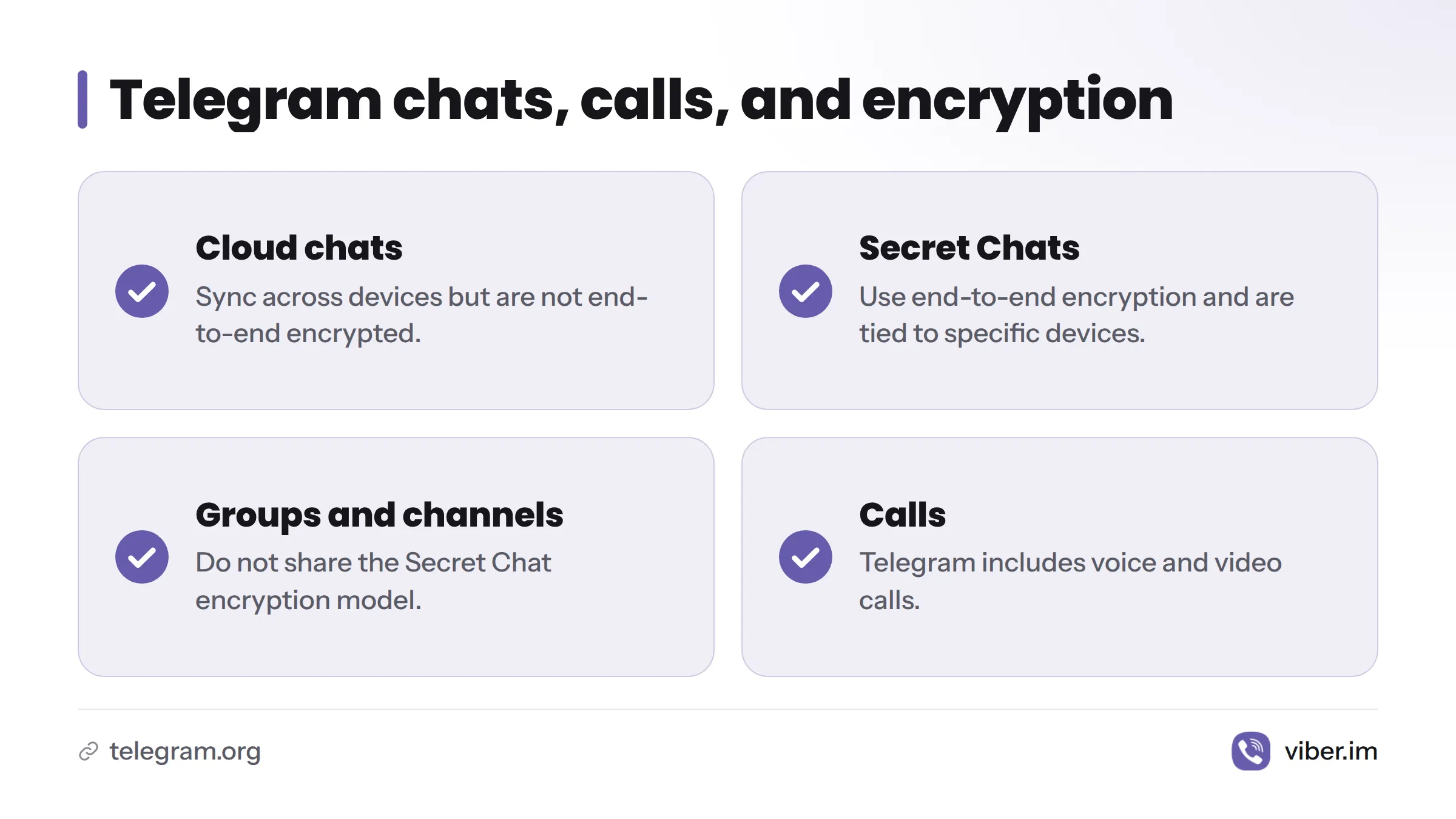
Telegram includes cloud chats, voice and video calls, groups, and channels. Its encryption model has an important distinction: ordinary cloud chats sync across devices but are not end-to-end encrypted. Telegram’s FAQ says Secret Chats use end-to-end encryption and are tied to specific devices. Groups and channels do not share the Secret Chat model.
Telegram may suit people who want large group discussions and cloud chats across several devices. Viber Communities also support ongoing group conversations, but the two services organize those spaces differently. Viber’s Community guide describes its format.
Choose Telegram if cloud access across devices and large public or private groups matter most. Look elsewhere if you expect end-to-end encryption by default in ordinary chats.
3. Signal: encrypted messaging and calls
Signal offers text messaging, voice and video calls, and group conversations. Signal says its messages and calls are end-to-end encrypted. Its features page describes the service, while its linked-device instructions explain how to add a desktop device.
Signal and Viber both offer encrypted conversations, calls, and group messaging, though their features and device setup differ. In my view, Signal is a sensible choice for people who want encryption to cover routine messages and calls. This guide does not test either app’s security.
Choose Signal if you want end-to-end encryption for everyday messaging and calls and your contacts will use it too. Look elsewhere if you rely on Viber Communities, Viber Out, or its sticker tools.
4. Facebook Messenger: reach people on Facebook
Messenger supports text conversations, voice and video calls, and group chats. Meta’s help page on end-to-end encrypted chats describes coverage for eligible personal conversations. Features can differ by chat type and account, so check the details for the conversation you plan to use.
Messenger’s practical appeal is its connection to people you already reach through Facebook. It overlaps with Viber for personal messaging and calls, but it does not replace every Viber feature, including Viber Out or Communities.
Choose Messenger if friends and family already communicate with you there. Look elsewhere if you want the same encryption coverage across every conversation type; check the limits before moving sensitive chats.
5. Google Messages: Android texting and RCS
Google Messages is mainly an Android texting app. It supports SMS and MMS, along with RCS features where available. Google’s RCS chat documentation says end-to-end encryption applies to eligible RCS conversations, not SMS or MMS. Support depends on the devices, settings, and messaging service involved. Messages for web pairs with a phone rather than working like an independent internet-calling app.
Google Messages can serve Android texting needs, but it is not a direct substitute for Viber’s app-to-app voice and video calls, Communities, or Viber Out. It may work alongside a calling app instead of replacing one.
Choose Google Messages if you mainly text on Android and use RCS with compatible contacts. Look elsewhere if you want one app for international app calls, desktop messaging independent of your phone, and community groups.
6. Discord: persistent interest groups and voice spaces
Discord centers on servers, text channels, and voice and video features. Its official support center covers voice and video. Discord’s community structure can suit ongoing interest groups, but members gather and organize conversations differently than in Viber Communities. Do not assume Discord conversations use end-to-end encryption; check its privacy and safety documentation for the feature you plan to use.
Discord runs on desktop and mobile. It is not a direct replacement for Viber Out’s calls to phone numbers or Viber’s familiar one-to-one chat format.
Choose Discord if you want a lasting interest group with text and voice spaces. Look elsewhere if your main need is personal messaging or calls to ordinary phone numbers.
Choose an app by contacts, calls, and devices
Before asking your contacts to switch, work through these questions:
- Who do you need to reach? The most useful app is one your friends, family, or group members will use.
- What kind of call do you need? App-to-app voice and video calls use internet connectivity. Calls to landlines and mobile numbers require a service that supports phone-number calling. Viber Out covers that separate use. See Viber Out credits and rates for details; do not assume an internet call includes calls to ordinary numbers.
- Which conversations need encryption? Check whether the specific feature you plan to use, such as a group chat or call, has end-to-end encryption by default. Telegram’s ordinary cloud chats, for example, differ from Secret Chats.
- What group format suits you? Group chats, channels, servers, and Communities are different tools, not interchangeable labels.
- Will it work on your devices and where you live? Confirm app availability, desktop pairing, and feature support on your phone and computer. RCS and some calling or messaging options depend on platform, settings, or location.
Before switching, tell your contacts which app you prefer, check whether you can keep access to conversations that matter, and find out what happens to existing chats. For a closer look at Viber messaging and calling, or to compare Viber, check the features against your needs. You can also download Viber and keep it as one of your options.
Viber alternatives: quick answers
Which Viber alternatives can I use without a subscription?
WhatsApp, Telegram, Signal, Messenger, Google Messages, and Discord provide messaging apps that often do not require a subscription for ordinary use. Data charges, optional paid services, and feature availability can vary. Check local terms, especially for calls to phone numbers.
Which app is most like Viber?
There is no single match for everyone. WhatsApp overlaps on everyday chats and calls. Telegram and Discord suit different group formats, Signal centers encrypted conversations, Messenger can work well for Facebook contacts, and Google Messages focuses on texting and RCS.
What can replace Skype for personal messaging and calls?
The answer depends on whether you need internet calls between app users or calls to ordinary phone numbers. WhatsApp, Signal, and Messenger offer app-based calls; Viber Out is a separate phone-number calling service. Check support for your country and device before choosing.
Which app is suitable for private video calls?
Signal, WhatsApp, and Viber document end-to-end encryption for calls. Review each provider’s stated coverage and setup. The word “private” does not guarantee protection across every account, device, backup, or conversation, and this guide is not a security audit.
Do these apps work on mobile and desktop?
Most of the six provide mobile and desktop or web access, though setup varies. Some require pairing with a phone, and Google Messages centers on Android texting. Confirm the steps for your operating system before switching.
Sources
- Viber Security, Rakuten Viber
- Viber Features, Rakuten Viber
- WhatsApp Security, WhatsApp
- About Linked Devices, WhatsApp Help Center
- Telegram FAQ, Telegram
- Signal Features, Signal
- Linked Devices, Signal Support
- End-to-end encrypted chats, Meta Help Center
- Turn on RCS chats in Google Messages, Google Help
- Voice and Video, Discord Support
- End-to-end encryption, Wikipedia
Related: Viber privacy and security