
📝 About the Author
Tech writer with 5+ years covering messaging apps and VoIP services. Testing and reviewing Viber features hands-on since 2024.
Have questions about Viber? Feel free to leave a comment below — I read and respond to every message. 💬
In the evolving landscape of remote work, effective communication is the backbone of productivity and team cohesion. With distributed teams spanning time zones and borders, tools like Viber have emerged as indispensable allies. Viber, a cross-platform messaging app owned by Rakuten, goes beyond simple texting to offer robust features tailored for professional use. Whether you’re coordinating project updates, hosting virtual stand-ups, or sharing sensitive documents, understanding how to use Viber for remote work communication can streamline your workflow and foster collaboration.
This guide dives deep into leveraging Viber’s capabilities for remote teams. We’ll cover setup basics, core features, practical applications, advantages, common pitfalls, and the latest 2025 updates. By the end, you’ll have actionable strategies to integrate Viber into your daily operations, ensuring seamless connectivity without the hassle of switching apps. If you’re transitioning from tools like Slack or Zoom, Viber’s intuitive design and end-to-end encryption make it a compelling choice for secure, efficient remote team collaboration.
Setting Up Viber for Your Remote Team: Getting Started Right
Note: This guide is based on Viber 23.1 (mobile) and Viber 22.8 (desktop), the latest versions as of 2026. Features and interface may vary slightly in older versions.
Before diving into advanced tactics, a solid foundation is key. Setting up Viber for remote work begins with creating a dedicated workspace that aligns with your team’s needs.
Create a Viber Business Account
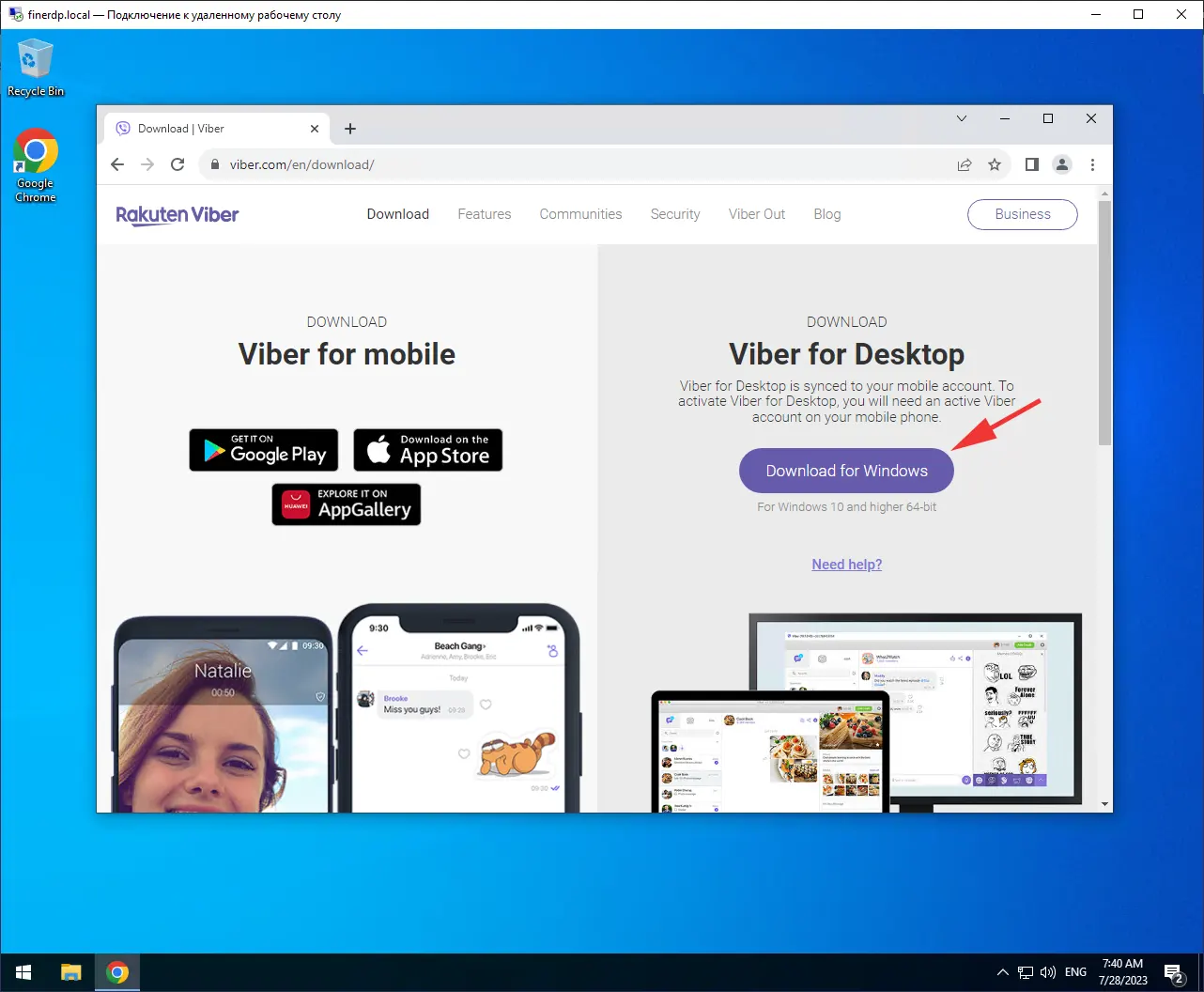
Viber offers a free Business Account that’s perfect for remote teams. Start by downloading the app on your mobile device (iOS or Android) or desktop (Windows/Mac). Sign up using your work phone number or email—Viber verifies via SMS for security. Once activated, switch to a Business profile to unlock features like automated replies and branded messaging. This setup is ideal for teams handling client interactions alongside internal comms.
For global teams, consider change language settings on Viber to accommodate multilingual members, ensuring everyone feels included.
Inviting and Organizing Team Members
Invite colleagues by sharing your unique Viber link or scanning QR codes during onboarding. For larger groups, create “Communities”—Viber’s version of supercharged group chats supporting up to 1,000 members. Assign roles like admins for moderation, and use categories to sort chats (e.g., “Marketing,” “Dev Team”).
Pro tip: Enable syncing Viber across multiple devices early on. This allows seamless access from phone, tablet, and PC without missing a beat, crucial for remote workers juggling home offices and travel.
Initial Configuration for Productivity
Customize notifications to prioritize work channels—mute personal chats during focus hours. Integrate with calendars via Viber’s scheduling tools to set “Do Not Disturb” modes that respect time zones. According to a 2025 Remote Work Report by Buffer, 78% of distributed teams report higher satisfaction when tools like Viber reduce setup friction, paving the way for focused collaboration.
Essential Viber Features for Daily Remote Collaboration
Viber’s toolkit is designed for the nuances of remote work, from quick check-ins to in-depth brainstorming. Here’s how to harness them effectively.
Instant Messaging and Group Chats: The Heart of Team Sync
Viber’s core strength lies in its lightning-fast messaging. Send texts, voice notes, or instant video clips for nuanced updates without typing essays. For remote teams, group chats shine: up to 250 participants can join, with features like @mentions to ping specific colleagues and threaded replies to keep discussions organized.
In practice, a sales team might use a daily stand-up group to share wins and blockers. One user shared in a Viber Community forum how this cut email threads by 60%, freeing up hours for actual selling. For larger-scale coordination, Communities allow broadcasting updates to the entire org, with polls for quick decisions—like voting on next week’s agenda.
Voice and Video Calls: Bridging the Distance
High-quality calls are non-negotiable for remote work. Viber supports crystal-clear voice calls (free over data/Wi-Fi) and group video up to 20 participants—perfect for all-hands or client demos. Switch seamlessly between audio and video, or share your screen from desktop for walkthroughs.
A real-world application: During a 2025 product launch, a tech startup used Viber’s screen-sharing video calls to demo prototypes across continents, reducing latency issues common in Zoom alternatives. Calls auto-transfer between devices, so if you’re mid-conversation on mobile and switch to PC, nothing drops.
File Sharing and Media Integration: Streamlining Document Flow
Gone are the days of email attachments clogging inboxes. Viber lets you share files up to 200MB directly in chats, including docs, spreadsheets, and images. Compress videos on-the-fly for faster uploads, and use “disappearing messages” for sensitive shares that auto-delete after viewing.
For creative agencies, this means instant feedback on design mocks—upload a PSD, tag the reviewer, and iterate in real-time. Integrate with cloud services like Google Drive by pasting shareable links, enhancing Viber’s role in hybrid workflows.
Explore Viber’s full suite on their official features page for more on these integrations.
Advanced Tips and Best Practices for Viber in Remote Teams
To elevate Viber from a chat app to a collaboration powerhouse, incorporate these pro strategies.
Leveraging Communities and Channels for Structured Communication
Communities aren’t just big groups; they’re hubs for knowledge sharing. Set up topic-based channels within a Community for async updates—e.g., a “Project Alpha” channel for milestones. Admins can pin resources or moderate to prevent spam.
Best practice: Use broadcast messages for one-way announcements, like policy changes, ensuring everyone stays aligned without overwhelming inboxes. A 2025 case study from Infobip highlighted how a retail chain used Viber Communities to sync 500+ remote staff, boosting response times by 40%.
Automation and Integrations: Boosting Efficiency
Viber Business enables chatbots for FAQs, freeing HR from repetitive queries. Pair this with integrations to tools like Trello or Asana—post card updates directly in Viber chats via webhooks.
For international remote teams, dive into Viber can be used for international business, where low-data calls shine for cost savings on global lines.
Schedule messages to bridge time zones: Draft a good-morning note at 9 AM your time, and it sends at 9 AM theirs. Polls and reactions add interactivity—run a quick “thumbs up for approval” on proposals.
Fostering Team Morale with Fun Elements
Remote work can feel isolating, but Viber’s stickers, GIFs, and emoji reactions inject personality. Host virtual “coffee chats” via group voice rooms or share memes in off-topic channels. Teams report 25% higher engagement when blending work with whimsy, per a Gallup 2025 survey.
Advantages of Using Viber for Remote Work Communication
Why choose Viber over competitors? Its blend of accessibility and security stands out.
- Cost-Effective and Global: Free calls and messages worldwide, with minimal data usage—ideal for teams in emerging markets.
- Privacy-First Security: End-to-end encryption protects every interaction, surpassing basic HTTPS in many apps. Verify contacts with secret chats for ultra-sensitive discussions.
- Multi-Device Flexibility: Sync across unlimited devices without phone dependency, unlike some rivals.
- Scalability for Teams: From duos to enterprises, features like Communities handle growth without performance dips.
In a head-to-head with WhatsApp, Viber edges out for business tools like automated messaging, making it a top pick for structured remote collaboration.
Common Challenges and Solutions in Viber Remote Workflows
No tool is perfect—here’s how to troubleshoot.
- Time Zone Misalignment: Solution: Use scheduling and async voice notes; set team-wide “core hours” via pinned messages.
- Notification Overload: Mute non-urgent chats and use folders (new in 2025) to categorize—e.g., “Urgent” vs. “FYI.”
- File Size Limits: For >200MB files, link to external storage; compress media in-app to stay under caps.
- Onboarding New Hires: Create a welcome Community with FAQs and quick-start guides to accelerate integration.
Addressing these proactively keeps Viber humming smoothly.
Viber’s Evolution for Remote Teams
Viber’s 2025 updates are game-changers for distributed work. The AI Chat Summary scans group histories, highlighting action items and key decisions—saving hours on catch-ups, with privacy intact (no content shared externally). Chat Folders organize workflows, displaying unread counts per category for at-a-glance triage.
Comments in Communities enable threaded replies to specific posts, reducing reply-all chaos. Viber Plus adds stealth modes for discreet reading, vital for execs in shared spaces. Looking ahead, expect deeper AI integrations, like auto-transcription for calls, aligning with the rise of hybrid AI-human teams.
These enhancements position Viber as a forward-thinking tool, with adoption up 35% among remote pros per App Annie’s 2025 data.
Empower Your Remote Team with Viber Today
Mastering how to use Viber for remote work communication unlocks a world of efficient, secure, and engaging interactions. From quick messages to strategic Communities, Viber adapts to your team’s rhythm, turning geographical gaps into collaborative strengths. Start small—set up a test group and experiment with screen shares—then scale to full integration.
As remote work solidifies as the norm, tools like Viber will continue evolving to meet demands for connectivity and creativity. Ready to connect? Download Viber, rally your team, and watch productivity soar. Share your Viber hacks in the comments below—we’d love to hear how it’s transforming your workflow.