
Is your Viber Status an open book to everyone in your contact list?
Most users think their only options are “Public” or “Deleted.” But hidden within Viber’s 2026 privacy architecture is a suite of tools that allows you to curate exactly who gets a front-row seat to your life. Whether you’re looking to go completely off the grid with a ‘Ghost Mode’ setup or just want to exclude a few specific names, setting up your boundaries shouldn’t be a headache.
In this 2026 masterclass, we’re showing you exactly how to lock down your Viber Status. We’ll walk you through the “Exclude” lists, the “Seen” receipt toggles, and the hidden sync settings that might be leaking your updates to people you haven’t talked to in years. Take back your digital privacy—let’s get your Viber “Invisible” today!
What Does “Viber Status” Actually Include?
Before diving into settings, it’s important to clarify what “status” means in Viber. It typically refers to:
-
Online status (when you’re active)
-
Last seen timestamp
-
Read receipts (“seen” indicators)
-
Profile updates (photo, name, bio)
While Viber does not yet offer a direct “hide from specific people” toggle for all of these elements, you can combine multiple settings to effectively control visibility.

Why Hide Your Viber Status from Specific People?
There are several real-world reasons why users want selective privacy:
-
Avoiding awkward conversations with colleagues
-
Maintaining boundaries with certain contacts
-
Preventing constant monitoring from acquaintances
-
Managing personal vs. professional communication
Instead of blocking someone—which can be obvious and disruptive—“Ghost Mode” allows subtle control.
Step-by-Step: How to Enable “Ghost Mode” on Viber
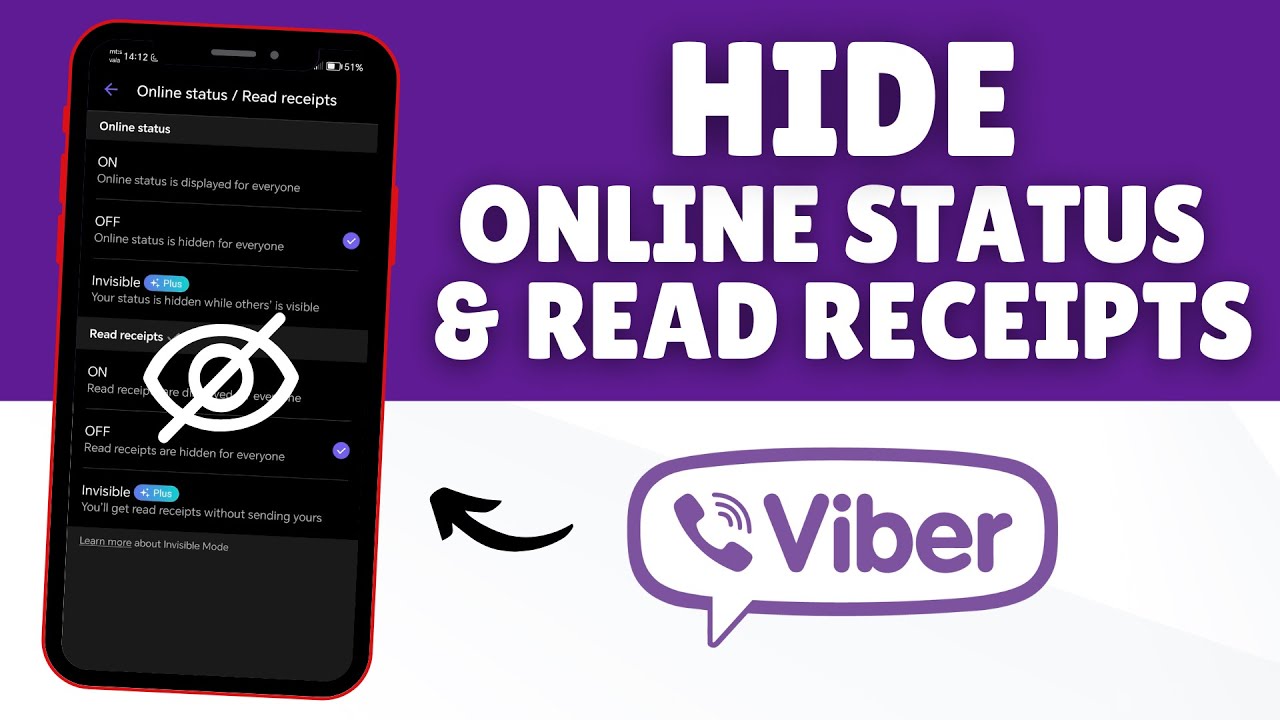
Turn Off “Online” Status Visibility
Path:
Settings → Privacy → “Share ‘Online’ Status”
-
Disable this option to stop others from seeing when you’re active
-
This applies globally (not per-contact)
? Result: You appear offline even when using Viber
Disable “Seen” (Read Receipts)
Path:
Settings → Privacy → “Send ‘Seen’ Status”
-
Turn this off to prevent others from knowing when you’ve read messages
? Tip: This works both ways—you also won’t see others’ read receipts.
Hide “Last Seen” Timestamp
Path:
Settings → Privacy → “Share ‘Last Seen’ Status”
-
Disable to hide when you were last active
⚠️ Note: You can only change this setting once every 24 hours.
Control Profile Visibility
While Viber doesn’t allow full per-contact profile hiding, you can:
-
Avoid frequent profile updates
-
Use neutral profile photos
-
Limit personal information
Advanced Trick: Restrict Specific Contacts (Closest to True “Ghost Mode”)
If you want to hide your activity from specific people only, use the “Block” + selective interaction strategy:
Option A: Temporarily Block a Contact
-
Blocking hides your status completely from that person
-
You can unblock later without losing chat history
? Best for short-term invisibility
Option B: Mute + Archive Conversations
-
Mute notifications from specific contacts
-
Archive chats to reduce visibility
This doesn’t fully hide your status but helps reduce interaction pressure.
Real-World Use Cases
Work-Life Balance
Avoid being “seen online” by coworkers after hours while still chatting with friends.
Social Boundaries
Limit visibility to overly active contacts without creating conflict.
Focus Mode
Stay distraction-free while studying or working.
Benefits of Using “Ghost Mode”
-
Enhanced privacy control without deleting contacts
-
Reduced social pressure to reply instantly
-
Better digital wellbeing
-
Flexible communication management
Common Mistakes to Avoid
❌ Assuming Per-Contact Control Exists
Unlike some apps, Viber doesn’t yet allow full per-contact visibility control for status.
❌ Forgetting Settings Are Mutual
Turning off “Seen” means you lose visibility too.
❌ Overusing Block Feature
Frequent blocking/unblocking may confuse contacts.
Pro Tips to Maximize Privacy on Viber
-
Regularly review your Privacy settings
-
Combine multiple features for best results
-
Keep app updated for new privacy tools
Related Guides You Shouldn’t Miss
Enhance your Viber experience with these expert tutorials:
External Reference (Privacy Standards)
For a deeper understanding of messaging privacy principles, you can refer to:? https://www.eff.org/issues/privacy
The Electronic Frontier Foundation provides authoritative insights into digital privacy and secure communication practices.
2026 Trends: The Future of Messaging Privacy
Messaging platforms—including Viber—are gradually moving toward:
-
Granular privacy controls (per-contact visibility)
-
AI-based privacy suggestions
-
Temporary invisibility modes
-
Enhanced encryption transparency
While “Ghost Mode” isn’t officially labeled in Viber yet, the building blocks are already here.
Conclusion
Hiding your Viber status from specific people may not be a one-click feature, but with the right combination of privacy settings, you can effectively create your own “Ghost Mode.”
By disabling online visibility, read receipts, and last seen status—and strategically managing contacts—you gain full control over your digital presence without sacrificing usability.
In 2026, privacy isn’t just an option—it’s a necessity. And mastering these tools ensures you stay in control of your communication.