
In today’s fast-paced digital world, messaging apps like Viber have become essential for staying connected with friends, family, and colleagues. One of the most useful features for efficient communication is the ability to forward messages to multiple contacts in Viber. Whether you’re sharing a funny meme, important updates, or event invitations, forwarding saves time and effort compared to copying and pasting manually. This guide will walk you through the process step-by-step across different devices, highlight its benefits, and address common questions as of 2025.
Viber, with over a billion users worldwide, continues to evolve with features that enhance productivity. Forwarding messages to several recipients at once is particularly handy for group coordinators, professionals disseminating information, or anyone managing multiple conversations. Let’s dive into how this works and why it’s a game-changer.
Understanding Viber’s Message Forwarding Feature
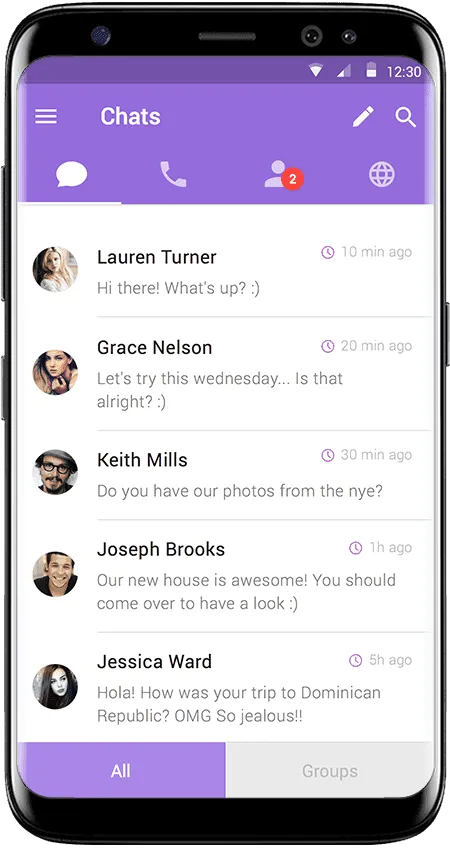
Viber allows users to forward text messages, photos, videos, links, GIFs, stickers, and files. The key advantage is selecting multiple messages and sending them to multiple contacts simultaneously, a feature that has been refined over the years.
On mobile devices (Android and iOS), you can forward individual or selected messages to several people. On desktop, the experience is even more robust, supporting bulk forwarding with ease. This functionality integrates seamlessly with other Viber tools, making it ideal for both personal and professional use.
For instance, if you’re organizing a team meeting and receive a key update in one chat, you can quickly forward it to relevant colleagues without recreating the content.
Step-by-Step Guide: Forwarding Messages on Viber Mobile (Android and iOS)
Forwarding on mobile is straightforward and works similarly on both Android and iOS in the latest 2025 versions.
- Open the Viber app and navigate to the chat containing the message(s) you want to forward.
- Long-press on a single message until a menu appears. For multiple messages, tap the checkbox icon (usually in the top bar) to enter selection mode, then select as many messages as needed.
- Tap the “Forward” option (it looks like an arrow pointing right).
- A list of your recent chats and contacts will appear. Search or scroll to select multiple recipients—tap the circles next to their names to choose more than one.
- Once selected, hit “Send” or the arrow icon. The messages will be forwarded with a “Forwarded” label.
This method supports forwarding to individual chats, groups, or even communities. If you’re dealing with media-heavy messages, Viber preserves the original quality.
Pro tip: If you frequently forward similar content, consider combining this with Viber’s note-taking feature to save links or texts for later.
How to Forward Messages to Multiple Contacts on Viber Desktop
Viber’s desktop app (available for Windows and macOS) excels at handling bulk operations, making it perfect for users who prefer a larger screen.
- Open Viber on your desktop and go to the desired chat.
- To forward a single message: Hover over it, click the forward arrow that appears, or right-click and select “Forward.”
- For multiple messages: Hold Ctrl (Windows) or Command (macOS) while clicking to select several messages.
- Right-click one of the selected messages and choose “Forward.”
- A window will pop up with your contacts and chats. Select multiple recipients by checking boxes or searching names.
- Click “Forward” to send.
Desktop forwarding is especially efficient for professionals, as it allows dragging and dropping files alongside messages. According to Viber’s official resources, this feature supports high-quality media transfers up to larger file sizes.
For more advanced chat management on desktop, check out tips on pin important chats in Viber: 2025 complete guide for Android, iOS, and desktop.
Practical Applications and Advantages of Forwarding Messages
The ability to send one message to multiple people in Viber has numerous real-world applications:
- Personal Use: Share family photos, event details, or viral videos with friends without repetitive sending.
- Professional Scenarios: Distribute meeting notes, project updates, or announcements to team members quickly.
- Event Planning: Forward invitations or location details to attendees in one go.
- Content Sharing: Spread news articles, recipes, or motivational quotes efficiently.
Advantages include:
- Time-Saving: No need to copy-paste or send individually—ideal for busy users.
- Privacy Preservation: Forwarded messages retain end-to-end encryption.
- Versatility: Works with all message types, including disappearing messages if timed correctly.
- Cross-Device Sync: Actions on mobile sync to desktop and vice versa.
In 2025, with Viber’s focus on AI-enhanced features like chat summaries, forwarding complements tools for managing high-volume conversations.
A reliable external reference for Viber’s core messaging capabilities can be found on the official Viber features page, which details encryption and media handling standards.
Common Issues and Troubleshooting
While forwarding is reliable, users occasionally encounter hurdles:
- Can’t Select Multiple Recipients? Ensure your app is updated to the latest version (26.7+ in 2025). Restart the app or clear cache if needed.
- Messages Not Delivering? Check internet connection or recipient’s online status. Forwarded disappearing messages may expire before delivery.
- Limits on Forwarding? Viber doesn’t impose strict limits on personal accounts, but spam detection may flag excessive activity.
- Media Quality Issues? On mobile, compression might apply; use desktop for better control.
- Searching Old Messages to Forward? Use Viber’s improved search—learn more in this complete guide to searching specific messages in Viber history (2025).
If you’re exploring broader content distribution, Viber Channels offer one-way broadcasting for larger audiences. Discover Viber Channels and how to join them in 2025.
Latest Trends in Viber Messaging (2025 Updates)
As of late 2025, Viber has introduced AI-driven tools like chat summaries and enhanced folders, making message management smarter. Forwarding remains a core feature, integrating with new privacy options like hide typing status. Businesses increasingly use Viber for bulk communications via bots or channels, though personal forwarding stays user-friendly without restrictions.
Trends show a shift toward personalized sharing—users combine forwarding with polls or reactions for interactive broadcasts.
Master Forwarding for Seamless Communication
Mastering how to forward messages to multiple contacts in Viber can significantly boost your efficiency, whether for casual chats or professional coordination. With simple steps across mobile and desktop, plus robust support for various content types, it’s one of Viber’s standout features in 2025.
Update your app today, experiment with bulk forwarding, and explore complementary tools to elevate your experience. Viber continues to prioritize secure, intuitive messaging—start forwarding smarter!